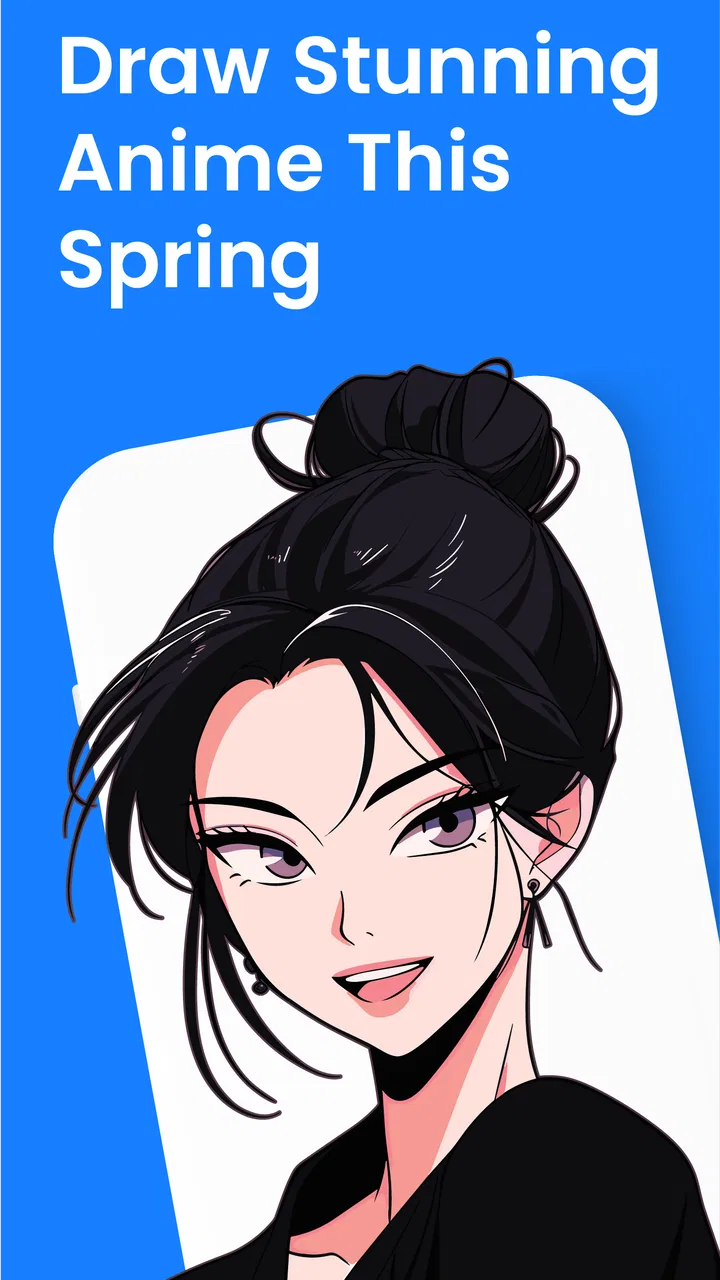
Learn to Draw Anime by Steps
- 4.6
- Rating
- 10.00M
- Installs
- Free
- Price

 Analysis by App-foxy
Learning to draw anime can feel harder than it looks. A finished character seems to depend on dozens of small decisions—head shape, eye placement, hair, clothing, hands, and expression—so a blank page is often the most intimidating part. Learn to Draw Anime by Steps takes a practical route: instead of asking me to copy a polished illustration immediately, it breaks the subject into guided stages that are easier to follow.
I reviewed it as an art and design app from Rstream Labs, and my overall impression is that it works best as a patient visual tutor rather than a complete digital art studio. It is free to start, aimed at Teen users, and has attracted a 4.6 average from around 53 thousand ratings, with more than 5 million installs. Those figures suggest that the simple step-by-step format appeals to a broad audience, but popularity alone does not make it suitable for everyone. The important question is whether this kind of guided practice matches the way you want to learn.
What the learning experience feels like in everyday use
The strongest idea here is progression. Anime drawing becomes less overwhelming when I treat each lesson as a sequence of construction marks instead of a test of artistic talent. I can begin with broad shapes, establish proportions, add recognizable features, and then refine the result. That order matters because it discourages the common beginner mistake of spending too much time on eyes or hair before the head and body are placed correctly.
You May Also Like

 AccuWeather: Weather Radar
AccuWeather Review: A Quick, Clear Forecast for Everyday Decisions
For everyday plans, the best forecast is the one you can understand quickly. AccuWeather makes rain timing, radar, and local conditions easy to act on, with a few trade-offs.

 Hill Climb Racing
Why Hill Climb Racing Still Turns Crashes Into One More Run
A tiny car, a bumpy hill and one more upgrade: Hill Climb Racing keeps resurfacing because its simple chaos makes every near-miss feel personal.

 AliExpress - Shopping App
AliExpress Makes Global Shopping Feel Personal, but Shoppers Bear the Risk
AliExpress turns a global marketplace into a pocket-sized discovery engine. Its reach is useful, its shopping loop compelling, and its trade-offs easy to miss.

 Lords Mobile: Kingdom Wars
Lords Mobile Is a Kingdom-Building Routine, Not a Quick Match
A case-by-case verdict on the building, battles, device demands, and social commitments that make Lords Mobile rewarding for some players and exhausting for others.

 PDF Scanner app - TapScanner
TapScanner Makes Paperwork Easier to Capture, Check, and Share
TapScanner makes scanning with a phone feel less like a rescue operation and more like a dependable step in getting work done. Its capture tools are useful, though not flawless.

 Block Blast!
 Shows How Much a Puzzle Game Can Leave Out
A quiet grid game shows why puzzle players increasingly value instant clarity, repeatable skill and low-pressure play—and where the genre still needs to catch up.
More From Our News Desk
View All News


I found this approach especially useful during short practice sessions. If I had only a few minutes after work, I could focus on one stage rather than trying to complete a dramatic character from memory. A learner who normally watches a speed-drawing video and pauses constantly may prefer the more deliberate rhythm of a tutorial designed around individual steps. It gives the hand a clear next action, which is often more useful than another collection of finished references.
The app’s store summary presents it as suitable for beginners through advanced learners, and I think that claim needs a little nuance. Beginners are the natural audience because the guided structure reduces the fear of starting. More experienced artists may still use the lessons as warm-up exercises, anatomy reminders, or prompts for studying stylized faces, but they should not expect the same depth as a dedicated anatomy course or a professional drawing program.
One useful habit is to avoid tracing each step mechanically. I get more value when I first observe the relationship between the lines: how far the jaw extends, where the centerline turns, and how the facial features follow the head’s angle. After that, I try the same stage without looking for a moment. This turns the lesson into practice rather than a one-time copy.
Why the step order matters more than the finished picture
Many drawing resources show an attractive final image and leave the learner to reverse-engineer it. This app’s appeal is the opposite direction. The intermediate stages make the process visible, so I can identify where my drawing starts to drift. If the eyes look uneven, the problem may have begun with the head construction rather than the eyes themselves. That kind of diagnosis is a more valuable skill than simply reproducing one character.
I recommend keeping a small comparison routine. Draw the same lesson once while following it closely, then redraw it from memory, and finally make a third version with one change, such as a different hairstyle or expression. The first attempt checks coordination, the second checks understanding, and the third checks whether the lesson has become a transferable skill. This workflow makes the app more useful than casual scrolling through tutorials.
Another practical tip is to use the early stages as a proportion checkpoint. Before adding details, I pause and ask whether the face is tilted consistently and whether the features follow that tilt. Anime styles often simplify anatomy, but simplification still depends on structure. If I rush past the construction stage because it looks plain, the final drawing usually becomes harder to correct.
Who will get the most from it
This is a good match for someone who has searched for “how to draw anime” and felt lost among disconnected videos, image posts, and advanced tutorials. It can also suit a young learner who wants a clear starting point, a casual artist returning after a long break, or someone who enjoys practicing character faces without committing to a full course.
It is less convincing for people who already understand gesture, perspective, anatomy, and value. An experienced illustrator may outgrow the guided steps quickly, particularly when the goal is to design original characters, draw convincing poses, or create complete scenes. In those situations, a drawing app with layers, brushes, stabilizers, and export controls is the better primary tool. This app can still provide prompts, but it should not replace a serious illustration workspace.
I would also hesitate to recommend it as the only resource for someone whose main goal is manga page production. Learning a face is not the same as learning panel composition, storytelling, backgrounds, hands in varied positions, or consistent characters across multiple views. The app is most useful when its lessons are one part of a broader routine.
Trust, controls, and the moments that deserve attention
Trust is important in a learning app, especially one that may be used by younger artists. The visible product details identify Rstream Labs as the developer, classify the app under Art & Design, and mark it for Teen users. I treat that age label as a reason to involve a parent or guardian when appropriate, particularly before making purchases or allowing a child to use the app independently.
The app is free to download, but it includes in-app purchases ranging from $0.49 to $59.99 per item. That is the most important practical detail for household use. I would not hand a child a device with unrestricted purchasing enabled simply because the app itself costs nothing. The safer approach is to review the device’s purchase authentication and family controls first, then decide whether the available lessons justify any optional spending.
I also prefer to inspect the app’s permission prompts and privacy choices during setup rather than tapping through them automatically. Permissions are not a minor technical detail: they determine what the app can request from the device. I only approve access that makes sense for the action I am taking, and I revisit the operating system’s permission manager if a request feels unrelated to drawing. This is a sound habit for any app, and it is particularly sensible when a younger person is using it.
The same caution applies to account controls. If the app presents sign-in, profile, notification, or personalization choices, I read each screen instead of assuming that every option is necessary. I look for ways to continue without sharing more information than I need, and I check whether notifications can be limited. I do not treat a convenient login as automatically better; for a simple practice tool, fewer unnecessary commitments can make the experience more comfortable.
There are also data-sensitive moments that are easy to overlook. A drawing tutorial may feel harmless, but the surrounding device environment still matters. I avoid entering personal details into optional fields, do not use a child’s real identifying information for a casual art profile, and keep purchase approval separate from the learner’s everyday access. These choices preserve user agency without making the app difficult to use.
How I would set it up for a younger artist
My setup would begin with the device, not the lesson. I would confirm that the operating system meets the app’s minimum requirement of Android 7.0 or a compatible newer environment, install it through the official store, and then review notifications and purchase authentication. I would let the learner choose the drawing subjects while an adult keeps control of billing and account changes.
Next, I would spend a few minutes checking every visible choice during the first launch. If the app offers optional permissions, I would decide them one by one. If it asks for an account, I would consider whether the learner actually needs one for the intended use. This approach avoids the false choice between trusting an app completely and refusing to use it at all. The user can enjoy the tutorials while retaining control over sensitive decisions.
I would also establish a simple rule: no purchase is made from inside the app without asking first. That rule is more effective than relying on memory, especially when a free app contains optional items. The price range makes this worth taking seriously, because a small one-off purchase and the highest-priced item represent very different household decisions.
Practical limitations I noticed in the format
Step-by-step instruction can become restrictive if I follow it too literally. A learner may produce a recognizable anime face but struggle when asked to turn the head, change the expression, or invent a character without a guide. That is not necessarily a flaw in the lessons; it is a limitation of guided copying as a learning method. I solve it by changing one variable after each exercise.
The app also should not be confused with a full drawing canvas. Its main value is instruction, not professional production. If I want sophisticated brush control, extensive layer management, advanced editing, or a polished final illustration workflow, I would move the drawing into a dedicated art app. Using this tool as the teacher and another app as the studio is a more realistic arrangement than expecting one product to do both jobs equally well.
Another trade-off is depth. A beginner-friendly sequence is clear because it narrows the number of decisions. That clarity can also mean less room for discussing why different artists choose different proportions or how stylization changes across anime genres. Once the basics feel familiar, I would supplement the practice with observation, gesture drawing, and references from artists whose styles differ from the lesson.
The current version is 3.0.592, and the app has been available since May 14, 2020. For me, those details are useful context rather than a reason to assume quality. I still judge the experience by whether the lessons are understandable, whether the controls feel comfortable on my device, and whether the app respects the choices I make during setup. A version number cannot answer those questions by itself.
How it compares with common alternatives
Compared with short video tutorials, this app offers a more controlled learning pace. Videos can be inspiring and may demonstrate movement naturally, but they often require constant pausing and rewinding. A step-based lesson is better when I want to concentrate on one construction stage and check my own work before moving on.
Compared with image-search tutorials, the app is more organized. Search results can expose me to many styles, but they rarely provide a dependable sequence from rough sketch to finished form. The trade-off is variety: image collections may offer more unusual poses and designs, while a structured app gives me a clearer route through the fundamentals.
Compared with professional drawing software, the roles are completely different. A full art program is the stronger choice for making finished work, editing layers, and building a personal workflow. This app is the stronger choice when the main obstacle is not brush technology but knowing what to draw first. I would choose the app for instruction and the professional tool for production.
Compared with a paid course, the free entry point makes experimentation easier. I can discover whether I enjoy this learning style before committing to a larger purchase. However, a course may provide more sustained feedback, broader theory, and a planned curriculum. The in-app purchase range means I would inspect what an optional item unlocks before paying, rather than assuming every paid addition is necessary for progress.
A routine that makes the app more useful
I would use it in three stages. First, follow a lesson slowly and mark the point where proportions begin to feel uncertain. Second, repeat only that difficult stage instead of restarting the entire drawing. Third, create a variation from the same structure. For example, I might keep the head construction but alter the eyes, hair direction, or expression. This turns a tutorial into a small design exercise.
For a realistic everyday scenario, imagine a student waiting for a bus with a phone and a pencil nearby. Rather than browsing randomly, the student can complete one short drawing stage, save the result in a sketchbook, and review it later. The session does not need to produce a perfect character. Its purpose is to build familiarity with the sequence so that future drawings start more confidently.
I would keep a dated paper notebook beside the device, not because the app requires one, but because physical comparisons reveal progress better than memory. After several sessions, I can see whether the head angles are becoming more consistent or whether I am still avoiding hands and body construction. That record also prevents me from repeating only the comfortable lessons.
Most importantly, I would occasionally turn the screen away. After studying a step, I try to reconstruct it from memory and then compare the result. If I always draw with the guide visible, I may become good at following instructions without becoming better at observing. The app works best when it gradually becomes a reference rather than a permanent crutch.
My cautious recommendation
Learn to Draw Anime by Steps is worth trying if you want a friendly entry into anime-style drawing and prefer clear visual progression over an unstructured library of references. Its free starting point, accessible focus, and strong public rating make it an easy experiment for beginners. I especially like it as a companion to regular pencil practice, because the lessons give a hesitant artist a concrete place to begin.
I would not choose it as my only art tool, and I would not recommend unrestricted use for a child without checking purchases, permissions, notifications, and account choices first. The app’s Teen classification and optional purchases make that setup worthwhile. I also expect to outgrow the guided format if my goals move toward original character design, complex poses, or finished digital illustrations.
My final view is positive but measured: this is a useful drawing tutor, not a replacement for practice or a complete studio. The best results come from using its steps as scaffolding, then deliberately drawing without them. If you want that kind of structured beginning and are willing to keep control of privacy and spending decisions, Rstream Labs has made a practical tool for building confidence one stage at a time.
FAQs for Learn to Draw Anime by Steps
01What features does Learn to Draw Anime by Steps offer?
Learn to Draw Anime by Steps provides a variety of features designed to help users learn how to draw anime characters. It includes step-by-step tutorials, a vast library of characters, and customizable tools for sketching. The app also offers video tutorials and the ability to practice drawing with interactive exercises.
02Is Learn to Draw Anime by Steps suitable for beginners?
Yes, the app is perfect for beginners as it starts with basic shapes and progresses to more complex techniques. It offers easy-to-follow instructions and tips that cater to all skill levels, ensuring that even those new to drawing can successfully create anime characters.
03Does the app require an internet connection to function?
Learn to Draw Anime by Steps primarily works offline, allowing users to access tutorials and drawing exercises without an internet connection. However, some features like video tutorials and updates may require internet access to function properly and deliver the best user experience.
04Are there any in-app purchases or subscription fees?
The app is free to download with optional in-app purchases. Users can access additional character packs, advanced tutorials, and premium drawing tools by purchasing them. There is no mandatory subscription fee, allowing users to enjoy basic features at no cost.
05How often is the content updated in Learn to Draw Anime by Steps?
The app receives regular updates to ensure users have access to the latest content and features. These updates may include new characters, improved tutorials, and enhanced tools. Users can expect fresh content and improvements approximately every few weeks, keeping the learning experience engaging and current.
Pros
- Easy-to-follow step-by-step guides.
- Wide variety of anime styles included.
- User-friendly interface for beginners.
- Offline mode available for practice.
- Regular updates with new tutorials.
Cons
- Limited tools for advanced artists.
- No option to save progress mid-tutorial.
- Ads can interrupt the drawing process.
- Requires in-app purchases for full access.
- Lacks community or sharing features.

Learn to Draw Anime by Steps
Gallery